Tau
A workbench for coding agents that you can rebuild yourself
- Year
- 2026
- Type
- Desktop app
- Tech
- TypeScript, Electron, React, Capacitor
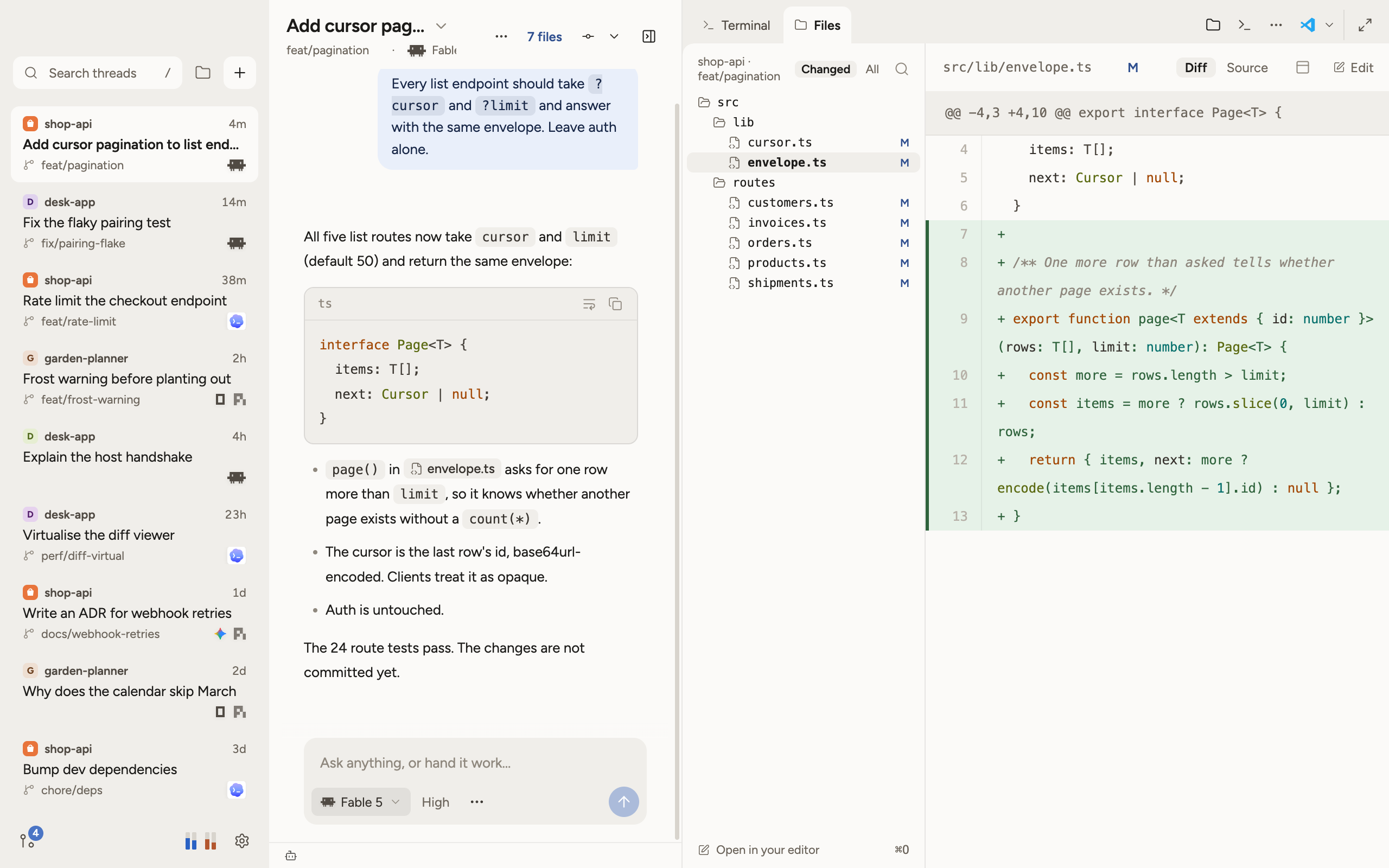
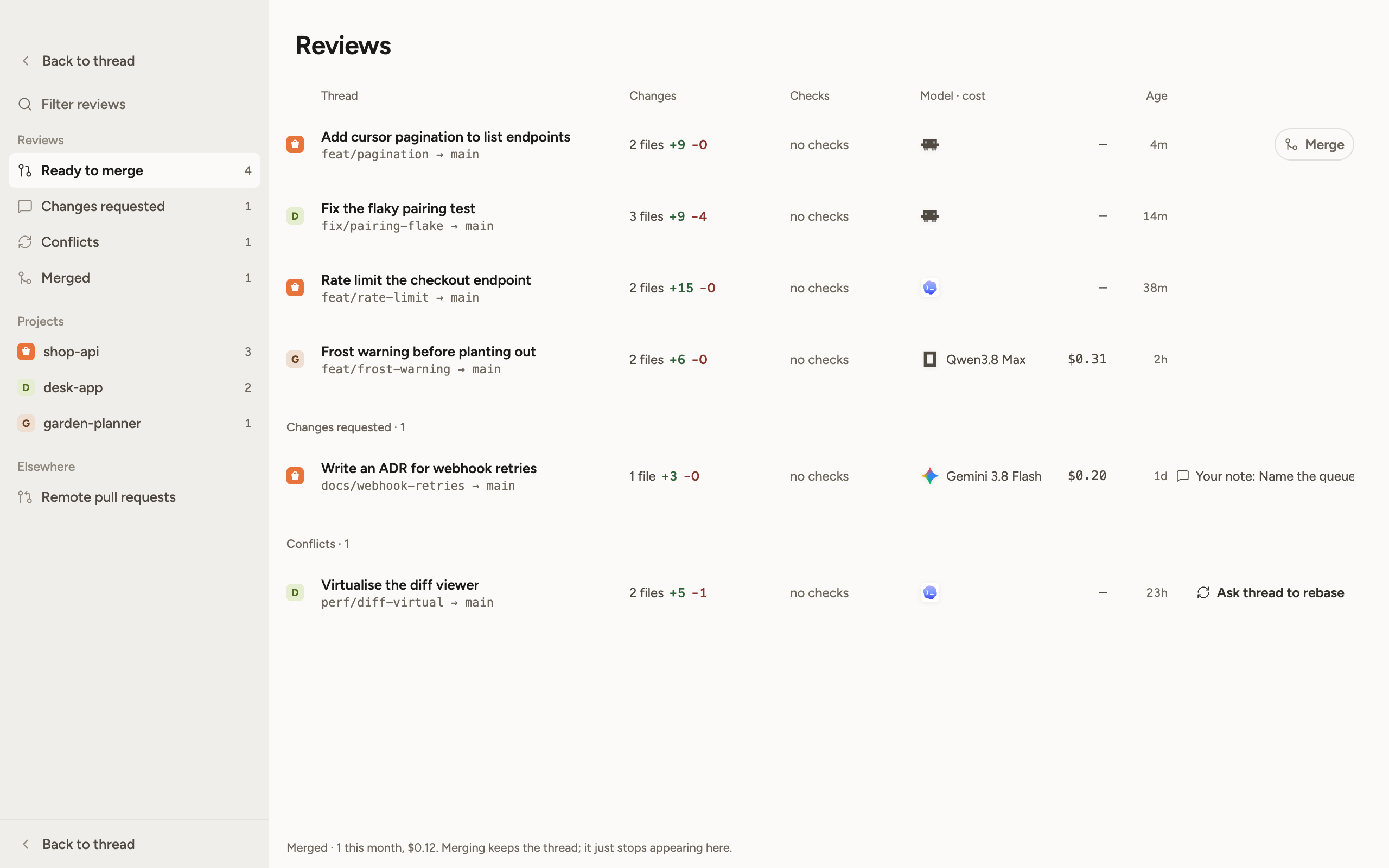
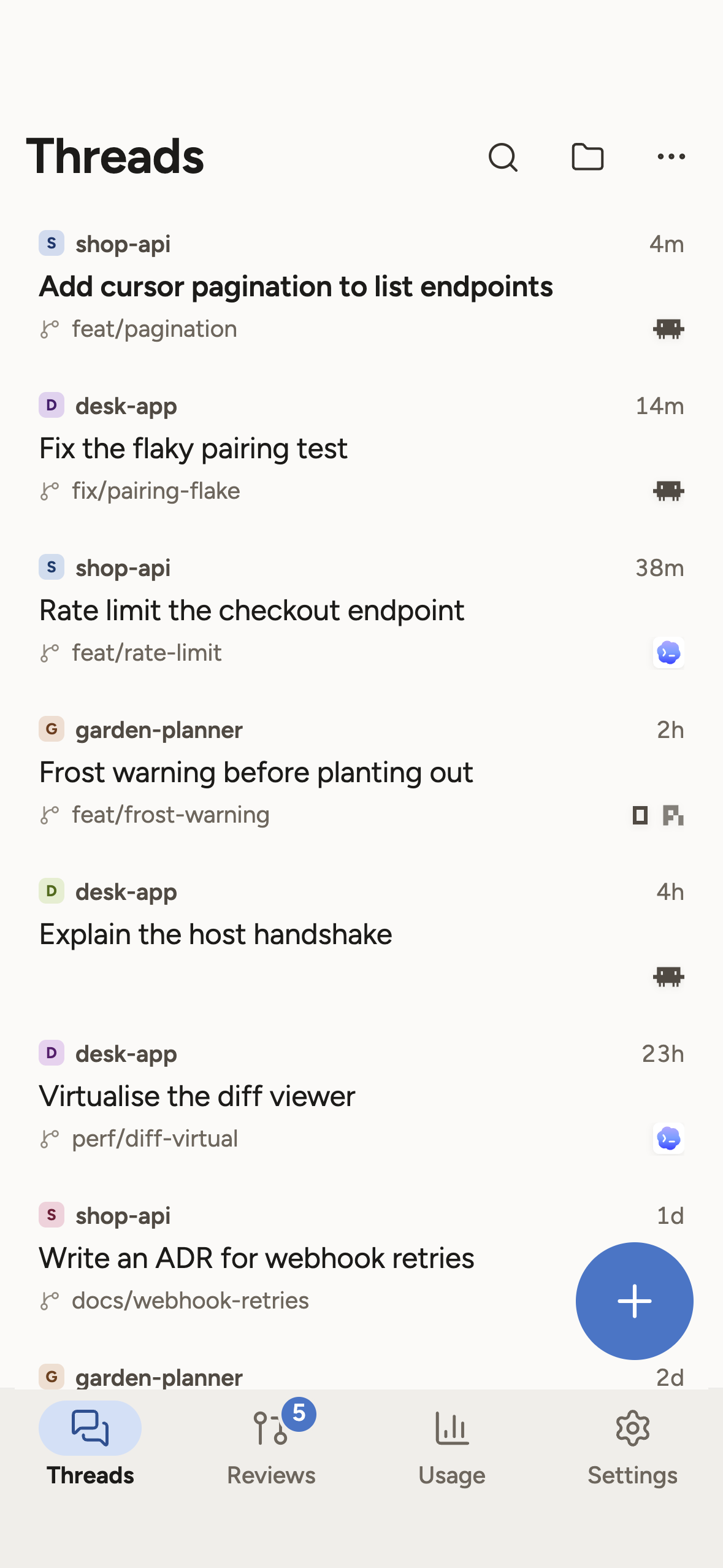
Tau is a workbench for coding agents. Threads on the left, the conversation with the agent in the middle, and terminal, files and preview as tabs on the right. When a thread is done, its work lands in Reviews like a local merge request. Your phone shows the same threads and asks you when the agent needs an answer.
Download Tau · Mac, Windows, Linux. After that, the app keeps itself up to date.
How it started
Tau started as an experiment. I had seen Pi and loved the idea behind it. An agent you can shape however you want, one that extends and changes itself when you tell it to. In a terminal you’re a bit limited with that, though, so I wanted to build an interface for it.
Then again, one agent alone in a window doesn’t make much sense either. I often work on a lot of projects at once and want to run several threads in parallel. Switching back and forth between Claude Code Desktop, Codex Desktop and maybe a terminal on top is no fun. I think tabs along the top are awful for this because there’s too little room, and in Codex I keep losing my threads. So Tau needed a sidebar.
At first it only showed the status and a date, like Codex. That wasn’t enough, because you couldn’t tell which project a thread belonged to. So the project went in, then the branch, and with every step I got a little closer to what T3 Code had already gotten right before me. In the end I followed it on purpose. Right now this is the best layout I know. I haven’t seen anything better. Even Codex copied T3 Code with its priority sidebar, but so far it doesn’t show everything I need there.
At the time I only had a Codex account, and Tau was still being built. Then Fable 5, Anthropic’s new model, came out, and I realized I couldn’t have used it with the approach I had. That wasn’t an option. Pi can sign in with a Claude login, sure. As far as I could research, though, that puts your account at risk of a ban, because Anthropic means the subscription for Claude Code only. A banned subscription at 100 or 200 euros a month is no fun.
So I had to decide how to make Tau work for it. The logical answer was to do what T3 Code does and drive Claude Code itself, through a layer I wouldn’t have chosen otherwise. Later it was the same with Gemini. Officially you use that subscription through Google’s own tools, which right now means Antigravity. Google has switched a few times already. A banned Google account would be far worse, so Gemini got the same solution. That’s how an interface for Pi became one for every agent I use, each through the official route.
That kept happening. A lot of my decisions ended up, more or less by chance, where T3 Code had already made the right call before me.
Over time I had fun with it every day and looked forward to working on it. And at some point I wanted to release it.
Thanks
Tau wouldn’t exist without two projects. Pi gave me the idea that an agent is yours and that you can rebuild it. T3 Code showed how a workbench like this can feel, and I followed it in a lot of places. I still use T3 Code myself. I have a lot of respect for both teams.
To be honest, rebuilding something is much easier than inventing it. Whoever first works out how a thread, a diff and a terminal should fit together does the real work. I got to look at a lot of things before I built them myself. Still, there’s a lot of work in Tau, more than I thought at the start.
There are a few things I would have liked T3 Code to do differently. Those would have been bigger changes that don’t fit the direction of the project, and that’s completely fine. For me it was the nudge to find out what it feels like to have those things in your own hands.
Rebuild it yourself
That’s why Tau is made of kits. Terminal, files, reviews, usage, even the connection to Claude Code are extensions that run through the same interface that’s open to you. If something bothers you, you don’t have to wait for someone else to change it. You write a kit, load it into your Tau, and it’s there.
What Tau does
- Several agents side by side: Pi, Claude Code, Codex, OpenCode and Gemini, each with its own models.
- Every thread can work in its own Git worktree. You check finished work in Reviews and merge it from there.
- Terminal, files and a browser preview as tabs next to the conversation.
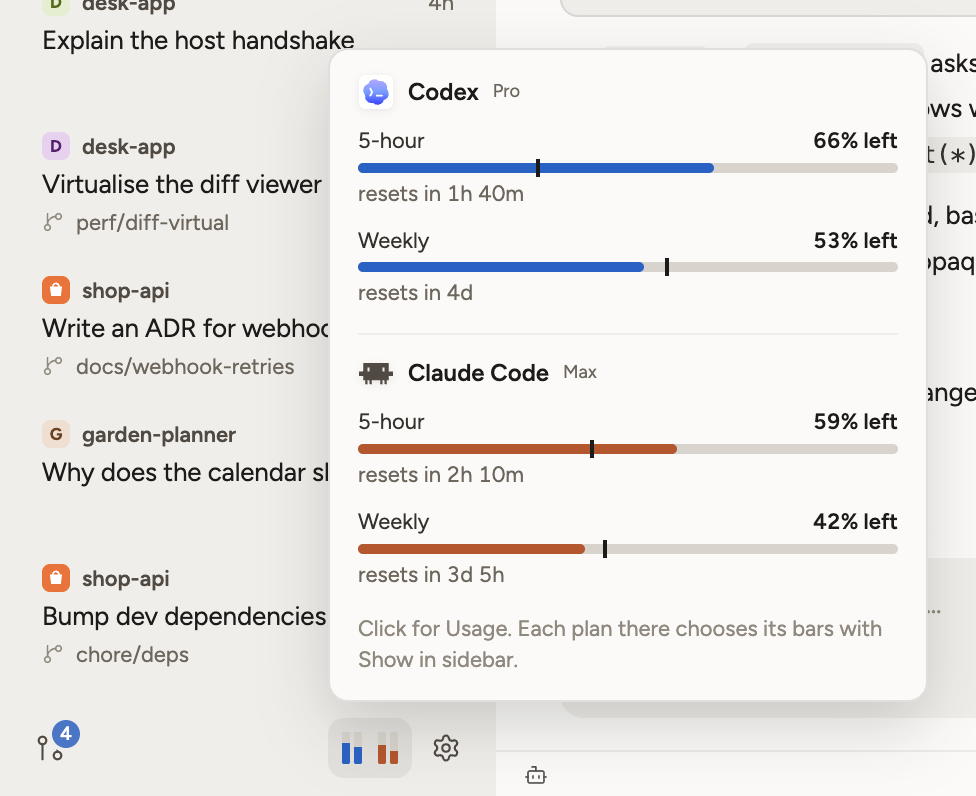
- Usage shows how much of your subscriptions is left, including what you use outside Tau. The sidebar footer shows the limits as small bars, like in Juicebars.
- Connect other machines. A thread can run on a server while you sit at your laptop.
- The app for iPhone and Android pairs with your computer and shows threads, questions and reviews on the go.
Tau is open source under the MIT license, and the code is on GitHub. Guides and docs are on rasalas.github.io/tau.